Search the archive and export
Everything sent and received, searchable in seconds, exportable with proof.
Applies to: All plans (1-year archive); archive add-on and Hosted Pro (6/7 years)
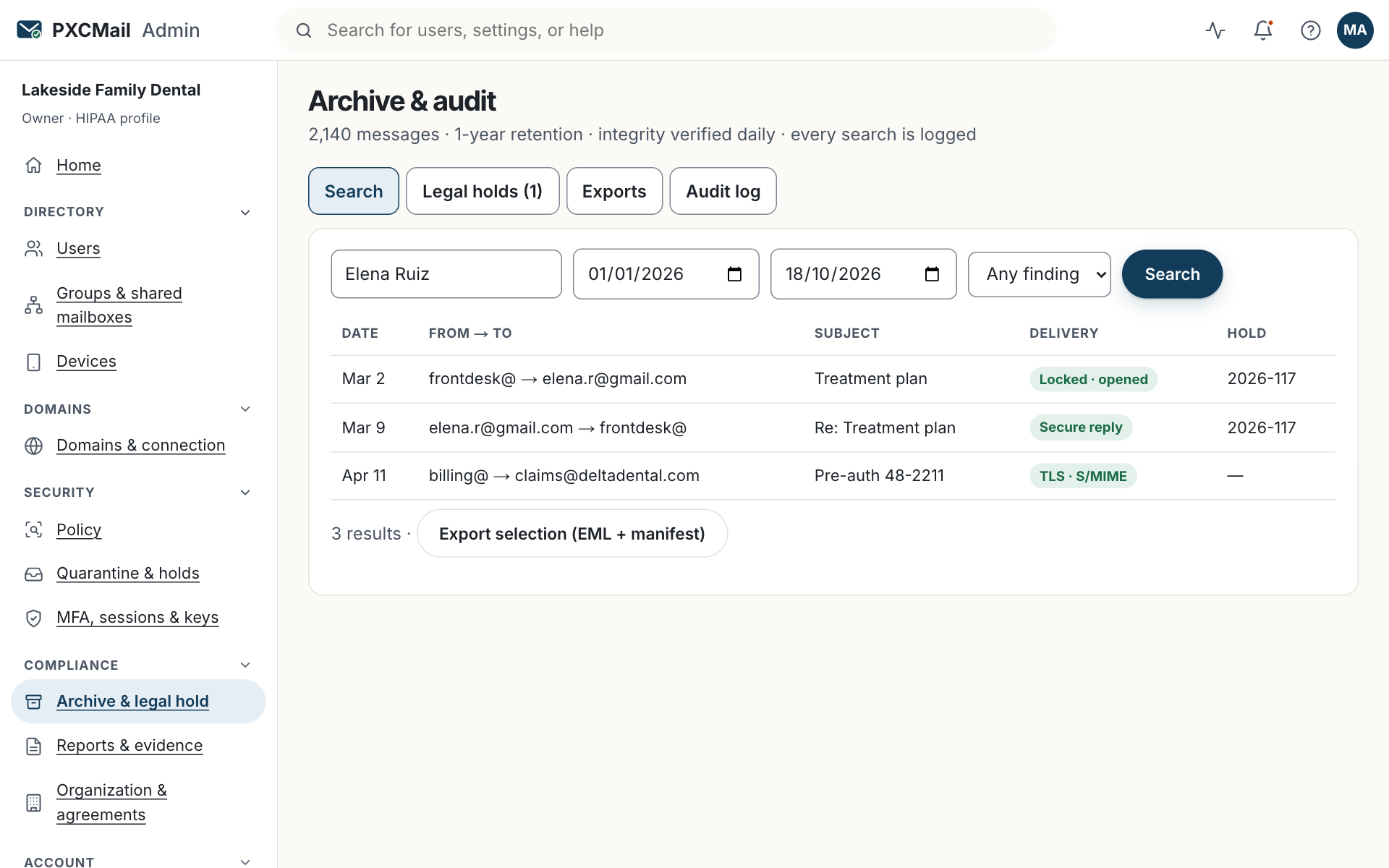
Console → Archive & audit → Search finds any archived message by participant, date, keyword, attachment or detection finding, and Export turns the results into EML, MBOX or PST files with a sha256 manifest and a chain-of-custody statement. Every search, content view and export is itself logged.
Before you start
- Compliance or Owner role.
- The request in writing: names, date range, keywords. Examiners and opposing counsel usually give exact terms; use them verbatim.
- Know your archive window: 1 year included; 6 or 7 years on the archive add-on and Hosted Pro; 5 years on the RIA profile.
- Export jobs run up to 50 GB; plan to split larger requests by custodian or year.
Steps
- Console → Archive & audit → Search. Filters: participants (any address or domain), date range, keywords in subject, body or attachment text, attachment name or type, detection finding, hold status. Save the query if you will run it again.
- Open a result to see metadata: participants, time, policy decision, encryption method, opens. Viewing content asks for a reason, which is logged.
- Select results or the whole query → Export → format: EML, MBOX, PST, or CSV metadata only. Add the request ID in the note.
- The export runs asynchronously. You receive a link valid for 24 hours, the manifest with a SHA-256 hash per file, and the chain-of-custody statement naming the account, time and query.
- If the items may be needed later, add the query to a legal hold before retention expires.
Verify
Console → Archive & audit → Exports shows the job as Completed with the item count and the manifest hash. Run a hash on one downloaded file and compare it with the manifest line.
Troubleshooting
- Fewer results than expected. Cause: the date range predates the archive window, or the keyword is inside an image-only attachment. Fix: check Retention; OCR of attachments for detection is a Hosted Pro feature, and image text is not keyword-searchable on other plans.
- Export larger than 50 GB. Cause: the job limit. Fix: split by custodian or year, or contact support for delivery on media.
- The link expired. Cause: 24-hour validity. Fix: Exports → Resend link; the files and hashes are unchanged.
- PST will not open in Outlook. Cause: a very large single file. Fix: export by year or choose MBOX for review tools.
- Counsel asks who searched what. Cause: normal discovery question. Fix: Audit log → filter by “archive search” and export as CSV.
Example
Northwind Wealth receives an SEC exam request list: all communications with two named clients over the past two years, plus every message that attached the firm’s fact sheet. The CCO runs three saved queries, one per client by participant and date, and one by attachment name. She exports PST for the examiner and CSV metadata for her own index, notes the request item numbers, and sends the link with the manifest. The export supports the firm’s obligations under Rule 204-2(a)(7), (e)(1) and (g) at ecfr.gov, and the audit log shows exactly what she viewed.
FAQ
Can a User search their own mail here?
No. Users search their mailbox. The archive is for Compliance and Owner only, and every search is logged.
Does the export include messages that were held or blocked?
Held messages that were released are archived. Blocked and rejected messages are recorded in the audit trail with their findings, not stored as mail.
Can the examiner verify the hashes without PXCMail?
Yes. The manifest lists a SHA-256 for every file; any standard tool reproduces it.
Does PXCMail staff ever see my archive?
Content access is US-only and logged. Tier-1 support sees configuration and metadata only.
Related
- Read the audit log
- Produce an evidence pack for an auditor
- Retention and legal hold
- Rule 204-2 and PXCMail
Still stuck? A human answers within 15 minutes on chat, 1 hour by email during business hours (24/7 for outages).