Help for recipients: opening a secure message
You received a secure message from a practice or firm using PXCMail. No account or app is needed.
Applies to: Recipients of locked messages
Your dentist, accountant, lawyer or adviser sent you something private, so instead of putting it in a normal email they locked it; you open it in your web browser with a one-time code sent to your phone or email, with no password to create and nothing to install.
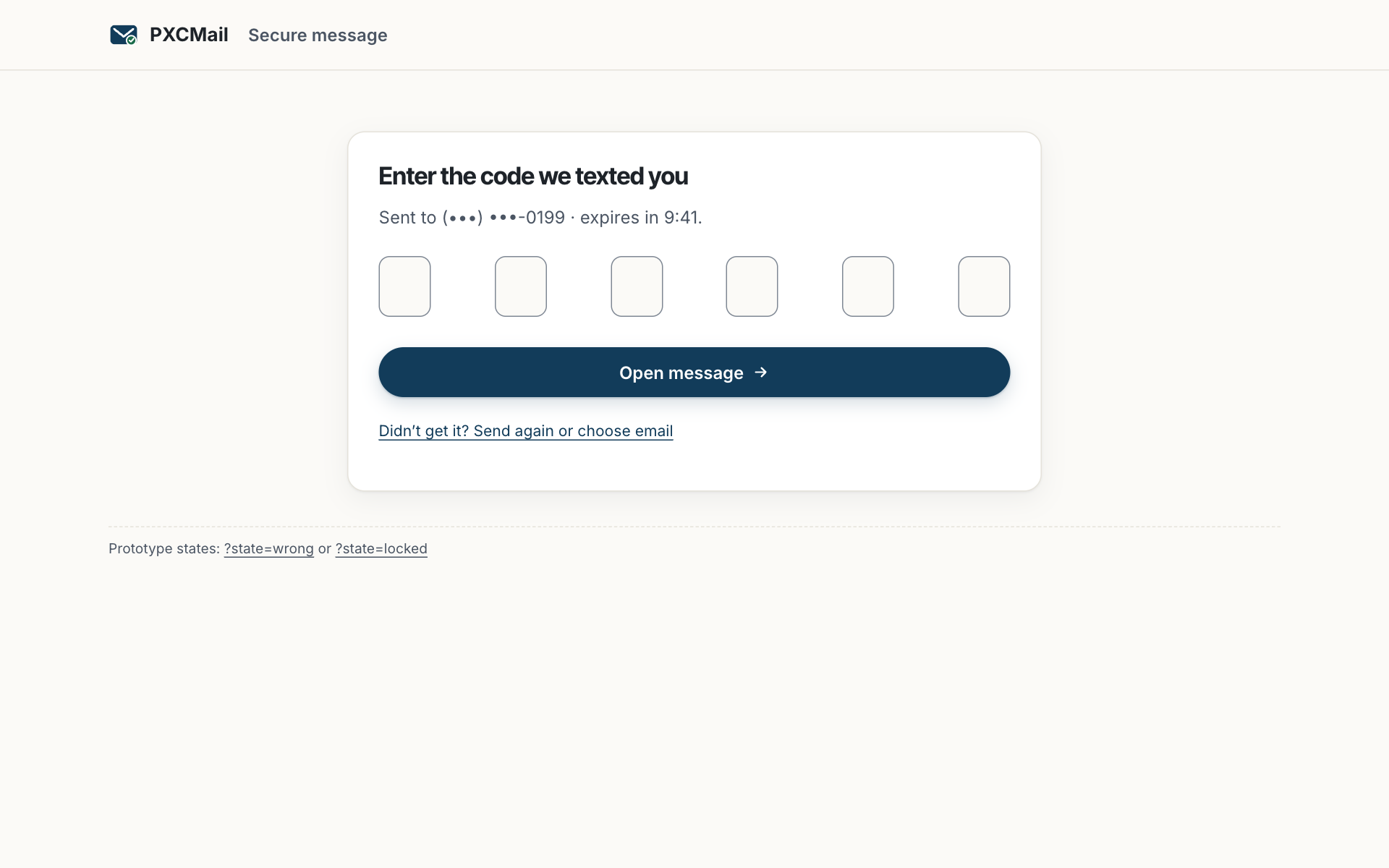
Before you start
- The notification email from the sender. It comes from their name and domain and contains no private content, only a button.
- Your phone, if you want the code by text; otherwise the code goes to your email.
- Any browser on a phone, tablet or computer. There is no app.
Steps
- Tap Open secure message in the notification. The link is unique to you and expires, usually after 30 days.
- Choose how to receive your six-digit code: text message or email. Enter it on the page within 10 minutes.
- Read the message and download any attachments. Large files (X-rays, a tax return) travel through the secure page, not the email.
- To answer, use the Secure reply button on the same page. Your reply, and anything you attach to it, is locked the same way.
- Need it in Spanish? Choose Español at the top of the page. The code messages and the reading page switch language.
Verify
You are looking at the right thing when the page shows the sender’s name, the name of their practice or firm, and the date. The address bar shows a secure (https) connection. If anything asks for a password, a card number or a login to Google or Microsoft, close it and call the sender; a genuine PXCMail page never does.
Troubleshooting
- The code never arrives by text. Cause: carriers sometimes delay short codes, or the sender has an old number for you. Fix: wait a minute and tap Send again, or choose email instead. If neither works, call the sender to check your contact details and resend.
- The code arrives but says it is expired. Cause: codes last 10 minutes. Fix: request a fresh one; the newest code is the only valid one.
- “Too many attempts.” Cause: five wrong codes in a row. Fix: wait an hour and try again, or ask the sender to resend.
- The link says “withdrawn” or “expired.” Cause: the sender revoked it, or 30 days passed. Fix: contact the sender; they can resend in a few seconds.
Example
Lakeside Family Dental sends a patient her treatment plan and estimate as a locked message. She gets an email from frontdesk@ at the practice with one button, taps it on her phone, chooses text, and types the six digits. She downloads the plan, replies “Can we start the crown in March?” with the Secure reply button, and the front desk sees her answer in their inbox. Her son’s plan arrives the same way, in Spanish.
FAQ
Do I need to create an account or install anything?
No. The one-time code is the whole sign-in. Sign-in with Google, Apple or Microsoft is on the PXCMail roadmap (ROADMAP) and not available today.
Who can see the message?
Only someone holding your unique link and a code delivered to your phone or email. Every open is logged for the sender.
Can I save or print it?
Yes. Download attachments and print the page as you would any web page. The sender can revoke the link later; your downloads stay with you.
Why did a text come from a short number I don’t recognize?
Codes are sent by PXCMail on the sender’s behalf. The text contains only a code, never a link. Message rates may apply; see the SMS terms.
Related
Accessibility: the page works with screen readers and keyboard; contact [email protected] for help.
Still stuck? A human answers within 15 minutes on chat, 1 hour by email during business hours (24/7 for outages).