Help · Getting started
Create your organization and sign the agreement
Two minutes from the signup page to a signed agreement and an organization ready for DNS.
Applies to: Gateway, Hosted
Before you start
- A work email at the domain you will protect (not a personal address).
- The name of the person responsible for your information security program (HIPAA Security Officer, Safeguards “qualified individual”, or firm partner).
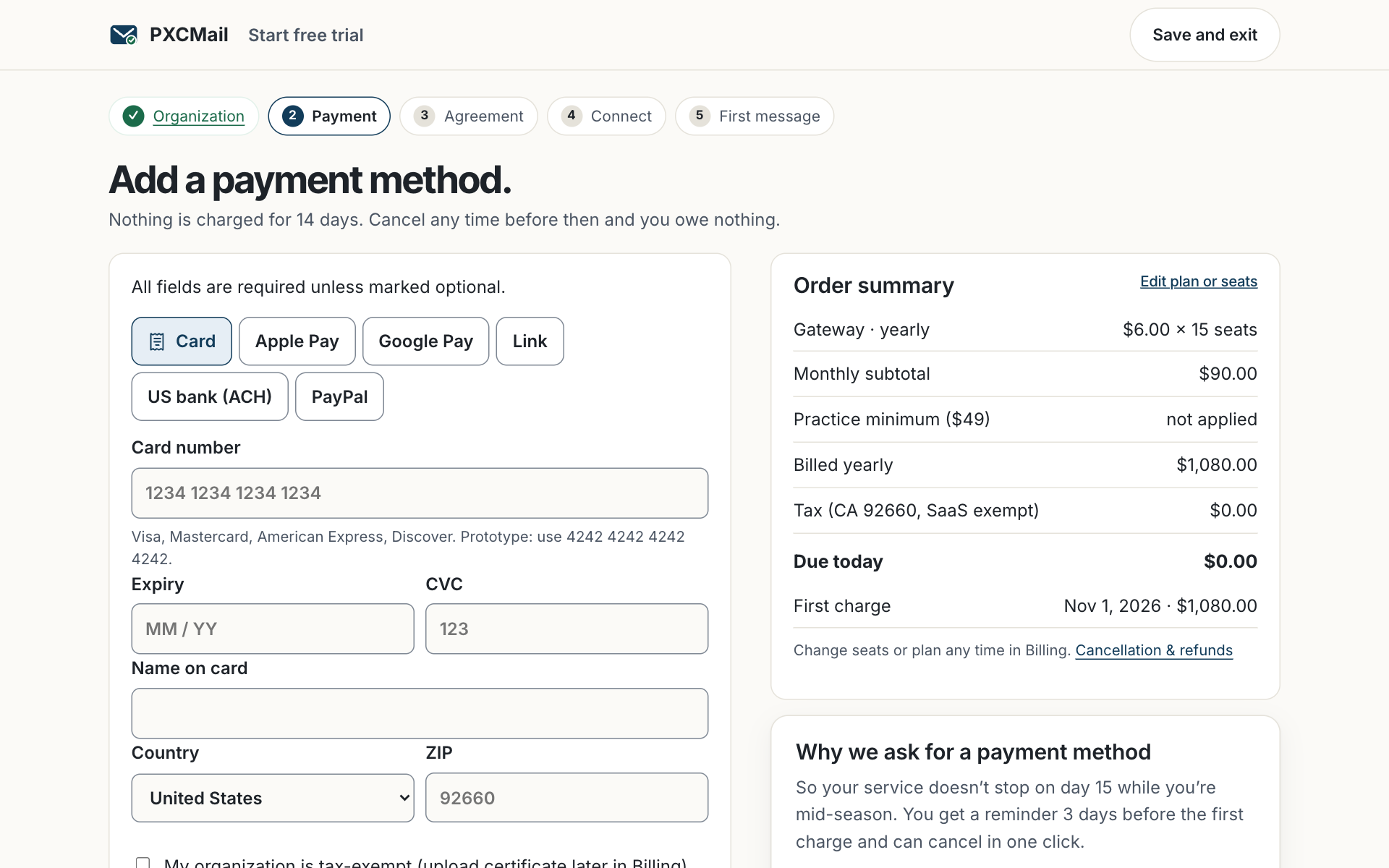
- A card for the trial; it is not charged for 14 days.
Steps
- Open Start free trial, choose Gateway or Hosted and your seat count. The $49 practice minimum applies regardless of seats.
- Enter your organization’s legal name, address and work email. Choose the industry profile — healthcare, accounting & tax, legal & title, or wealth. The profile sets your agreement, detection pack and retention defaults; you can change it later with support.
- Add payment details in the secure checkout.
- Sign the agreement electronically: the Business Associate Agreement for healthcare, or the Data Processing and Safeguards Addendum for other profiles. Name your Security Officer; they receive a copy.
- You land in the console on the Domains & connection screen with your DNS records ready.
Verify
The console home shows “Agreement signed” with a date and the countersigned PDF under Organization → Agreements.
Troubleshooting
- Didn’t receive the verification email? Check spam and that the address is at your business domain; personal addresses are not accepted for the owner.
- Need a different signer for the agreement? Owner can reassign under Organization → Agreements before signing.
Related
Still stuck? A human answers within 15 minutes on chat, 1 hour by email during business hours (24/7 for outages).