DMARC dashboard and enforcement
Enforcing DMARC stops phishers from sending as your practice. Do it in three steps over a few weeks.
Applies to: Gateway, Hosted
Publish DMARC at p=none with PXCMail as the report address, read Console → Reports → DMARC for two weeks to learn which systems send as your domain, fix or route the legitimate ones, then tighten to p=quarantine and finally p=reject. Receiving servers then refuse anything that pretends to be you.
Before you start
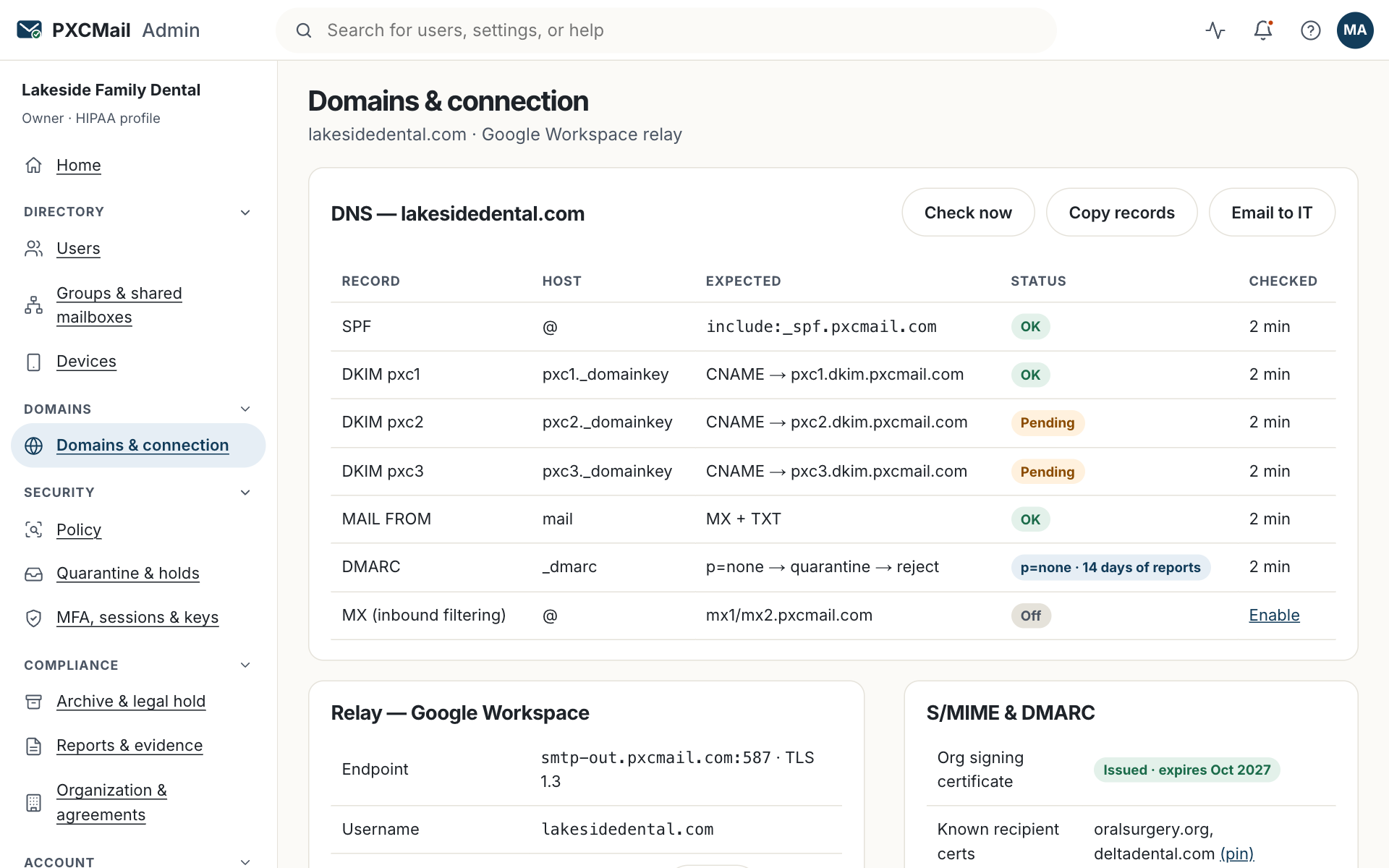
- SPF, DKIM and MAIL FROM green under Console → Domains & connection. DMARC needs SPF or DKIM to pass and align with your domain.
- A list of everything that sends as your domain: provider, PXCMail, practice or tax software, e-signature, scheduling, website form, newsletter tool.
- Access to DNS for the
_dmarcTXT record.
Steps
- Publish
_dmarcasv=DMARC1; p=none; rua=mailto:[email protected](see DNS setup). Nothing changes for your mail yet; reports start arriving. - After 7 to 14 days open Console → Reports → DMARC. Each row is a sending source with volume, SPF and DKIM results and alignment. Sources that pass are yours. Sources that fail are forgotten systems or spoofers; the row shows the sending IP and which receivers reported it.
- For each legitimate failing source, add it to SPF, enable DKIM with your domain in that tool, or send it through your provider so it inherits your policy.
- When the only failures left are spoofers for two weeks, change to
p=quarantine. After another clean period, change top=reject. Keep theruatag so the dashboard keeps reporting. - Optional: BIMI shows your logo in supporting inboxes. It needs
p=quarantineorp=rejectand a verified mark certificate.
Verify
The dashboard shows your legitimate volume passing in full and the policy row reads reject. A test message to an outside mailbox shows dmarc=pass in its headers, and Domains & connection shows DMARC green.
Troubleshooting
- A vendor sends on your behalf and fails. Cause: it signs with its own domain or uses its own MAIL FROM. Fix: ask the vendor for DKIM with your domain, or send those messages through your provider.
- Your own mail fails DMARC after forwarding. Cause: a recipient forwards your message and SPF breaks. Fix: nothing to fix; DKIM still aligns and the message passes.
- A source you do not recognize passes. Cause: a tool a colleague set up through your provider. Fix: find the owner; it already inherits your policy.
- Volume dropped after moving to reject. Cause: spoofed volume is gone, or a legitimate source was missed. Fix: look for a failing row and fix it; stay at reject.
- No reports after two weeks. Cause: typo in the
ruaaddress or a missing semicolon. Fix: compare with the DNS guide.
Example
Ortiz CPA publishes p=none in January. Two weeks later the dashboard shows four sources: Microsoft 365, PXCMail, TaxDome client-portal notifications, and an IP in another country sending “updated W-2” lures as the firm. Daniel enables TaxDome’s custom-domain DKIM, which turns that row green. The foreign source keeps failing. In February he moves to p=quarantine; the lures go to spam. In March he moves to p=reject and the spoofed volume disappears. When the cyber carrier asks about DMARC enforcement, he answers yes with the dashboard screenshot.
FAQ
Does DMARC stop phishing emails arriving at our office?
No. It stops others sending as your domain to anyone. Inbound protection for your own mailboxes is inbound filtering.
Why not go straight to reject?
A forgotten system that sends as your domain, such as appointment reminders, would be refused. Two weeks at none shows you the list.
Who reads the aggregate reports?
PXCMail parses them into the dashboard. They hold sending IPs and counts, never content.
Do we need DMARC for a subdomain we never send from?
Your main record covers subdomains by default; add a separate record only for a different policy.
Related
Still stuck? A human answers within 15 minutes on chat, 1 hour by email during business hours (24/7 for outages).