Device policy and remote wipe
A lost phone with a wiped mailbox is not a reportable breach. Here is how to make sure that is what happens.
Applies to: Hosted
The device policy is a short set of rules (passcode, encryption, auto-lock) every phone and tablet must accept before it can sync a Hosted mailbox, and remote wipe removes that mailbox from a lost device at its next connection, leaving the rest of the phone alone.
Before you start
- Admin or Owner role.
- Decide passcode length and auto-lock time with your Security Officer. The HIPAA Security Rule asks for device and media controls (45 CFR 164.310) and for access control and encryption (45 CFR 164.312); your written policy should match what you set here.
- Tell staff first. A phone that does not meet the policy stops syncing until its owner fixes it.
Steps
- Console → Security → Device policy. Set: passcode required (length 4–16, alphanumeric optional), encryption required, inactivity lock (1–30 minutes), wipe after a number of failed passcode attempts (optional), and devices per user (default 10).
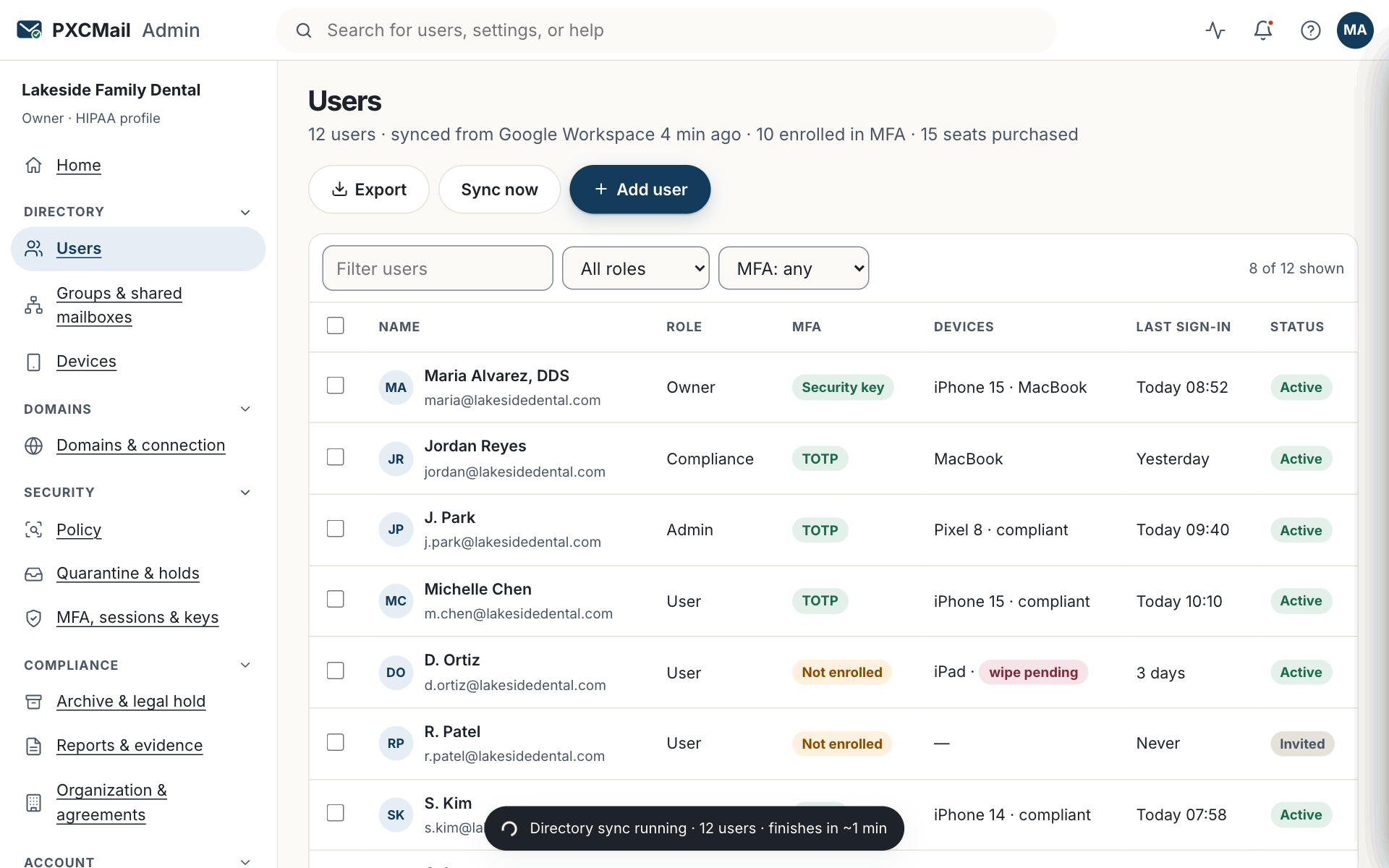
- Save. The policy is delivered at each device’s next sync. Phones that already comply continue; others are prompted to accept. Non-compliant devices are blocked and listed under Users & devices → Devices with the reason.
- To wipe a lost device: Users & devices → the user → Devices → Wipe mailbox. Confirm and enter a reason.
- The wipe runs when the device next connects: mail, calendar and contacts for that account are removed. Photos, apps and personal accounts are untouched.
- Immediately after requesting the wipe, reset the user’s password and revoke any app passwords under the same user. The audit trail records all three actions with your name and time.
Verify
The device row changes from “Wipe pending” to “Wipe confirmed” with a timestamp once the device checks in. Until then the device cannot download new mail (the password was reset) and the server copy is intact.
Troubleshooting
- Device never checks in. Cause: the phone is off, offline or already erased. Fix: the password reset already stops access; if you run an MDM, issue a full-device wipe from there.
- A compliant phone shows as blocked. Cause: the phone’s auto-lock is longer than the policy allows. Fix: shorten it in the phone’s settings; the next sync clears the block.
- Staff see the policy prompt every day. Cause: they tap “Not now”. Fix: accept once; the device is then marked compliant.
- An older phone cannot meet the encryption rule. Cause: the device does not support storage encryption. Fix: use webmail on that phone, or replace it; do not lower the policy for one device.
Example
Harbor Title’s escrow officer Maria leaves her iPad in a taxi on the way to a closing. She calls the office manager, who opens her user in the console, finds the iPad (PIN and encryption confirmed), and presses Wipe mailbox with the reason “lost in taxi”, then resets Maria’s password and revokes her app password. Because the iPad was encrypted and passcode-locked, the manager records the event in the firm’s ALTA Best Practices log as a device loss, not a disclosure, and attaches the audit entries.
FAQ
Is a lost phone a breach I must report?
Under HHS guidance, PHI on an encrypted device is not “unsecured” PHI. The policy and the wipe record are your evidence. Document the event and let your Security Officer or counsel make the call.
Does the policy apply to laptops running Outlook?
No. Outlook on Windows and Mac uses MFA and a device token; the passcode and wipe policy applies to phones and tablets on Exchange ActiveSync. Encrypt laptops under your own policy (BitLocker or FileVault).
Does a wipe delete the mail itself?
No. The mailbox stays on the server and every message is already journaled to the archive. When the person gets a new phone, they add the account again and everything re-syncs.
Related
Still stuck? A human answers within 15 minutes on chat, 1 hour by email during business hours (24/7 for outages).