Report a security incident or suspected compromise
Act fast, in order. We are on 24/7 for this.
Applies to: Gateway, Hosted
In the first hour: contain the account in the console, report to PXCMail, preserve the evidence with a legal hold, then assess what was sent and received so you can make your notification decision. PXCMail gives you the facts and the timeline; the determination and any notifications are yours.
Before you start
- Owner or Admin for containment; Compliance for the archive work.
- The security contact under Console → Security kept current, so our alerts reach a person.
- Your incident plan and the name of your Security Officer or qualified individual.
Steps
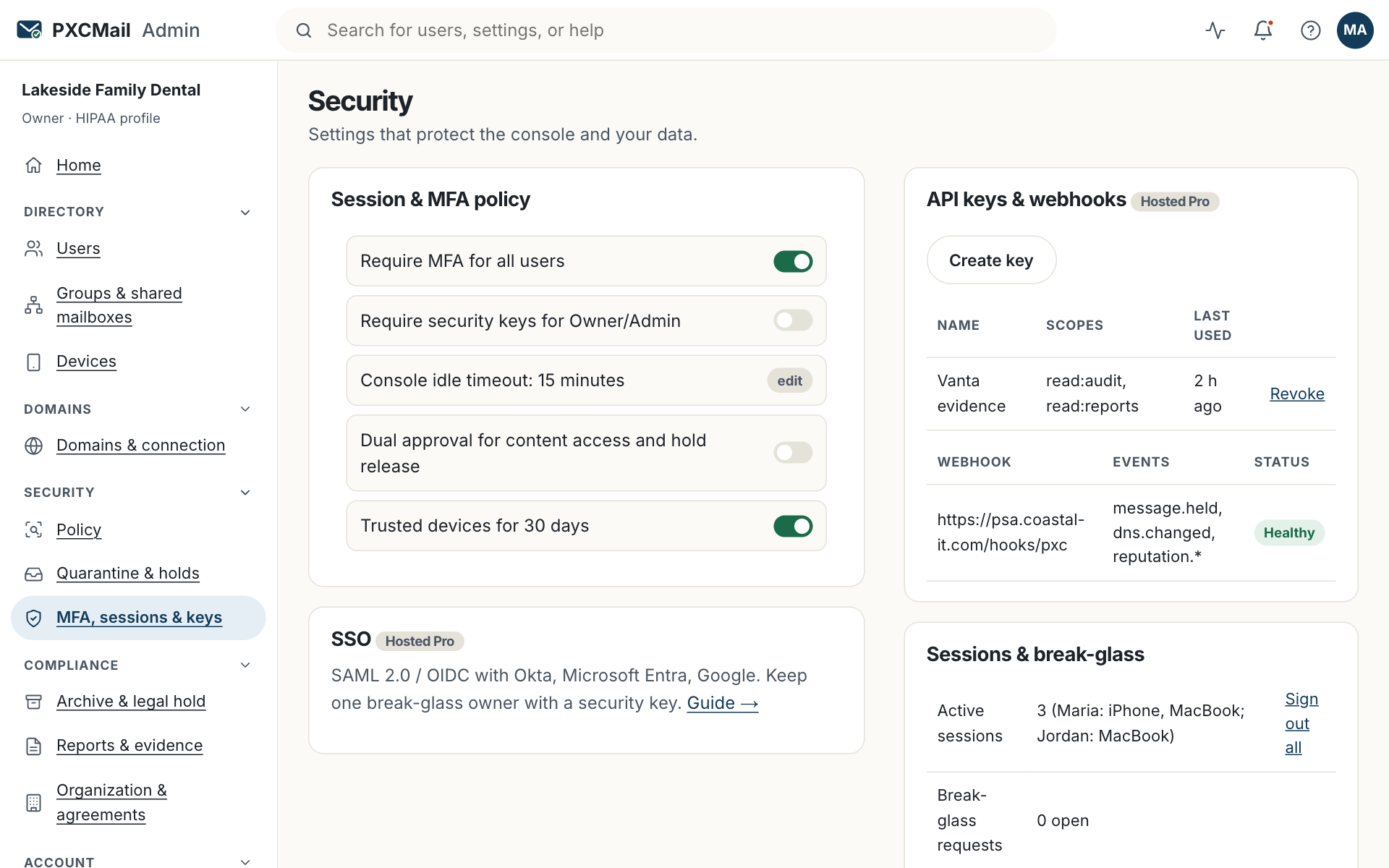
- Contain. Console → Users & devices → the user → Reset password, Reset MFA, Revoke app passwords, Sign out everywhere. On Hosted, wipe lost devices. If an admin account is involved, also revoke its API keys under Security. Sending from the account is paused automatically when anomalies were detected.
- Report. Email [email protected] or use Console → Support → Incident. A P1 is acknowledged within 30 minutes with updates every 15 minutes, around the clock. Anything on our side lasting more than 30 minutes gets a written post-incident review.
- Preserve. Console → Archive & audit → Legal holds → New, custodian the affected user, date range from the earliest suspicious sign-in. Export the audit log for that window.
- Assess. Archive search by that sender and recipient over the window. Export the recipient list as CSV. For each message the audit record shows the encryption method and whether a locked message was ever opened.
- Notify. Healthcare: the four-factor assessment and the 60-day clock under breach notification subpart D; 500 or more people means HHS and media. Accounting, legal and wealth: 16 CFR 314.4(j) requires notice to the FTC within 30 days when 500 or more consumers are affected; state laws add their own. We never contact your clients unless you ask.
- Learn. Enable the inbound impersonation banner, require MFA for everyone, run the phishing drill template.
Verify
The incident ticket shows status and a timeline. The audit log records every containment action with who did it and when. The hold shows an item count.
Troubleshooting
- The attacker still receives mail. Cause: a forwarding rule or app password survived the reset. Fix: check the mailbox rules at Google or Microsoft and revoke app passwords again.
- Sign-ins from an unknown location continue after the reset. Cause: a session survived. Fix: Sign out everywhere, then confirm under Security → Sessions.
- The recipient list is very long. Cause: a bulk send from the compromised account. Fix: the export includes delivery results; bounced addresses can be excluded.
- You are unsure whether encrypted messages count as exposed. Cause: encryption changes the analysis. Fix: locked-delivery and S/MIME messages with no logged open are a different case; read HHS guidance on unsecured PHI at hhs.gov and ask counsel.
Example
At Harbor Title, Maria enters her password on a lookalike sign-in page. The attacker adds a forwarding rule and sends altered wire instructions to a buyer from her mailbox. The policy holds the message because the payment-change language rule applies, and the anomaly pause stops further sends. The Owner resets Maria’s password and MFA, deletes the forwarding rule in Microsoft 365, files the incident with PXCMail, places a hold on her mailbox, and exports the audit record showing the held message was never delivered. Counsel confirms nothing left the firm; the buyer is called anyway.
FAQ
Does PXCMail decide whether this is a reportable breach?
No. We provide the records. Your Security Officer, qualified individual or counsel makes the determination.
Will you tell my clients?
Only if you ask, in writing.
What if the compromise is on PXCMail’s side?
We notify your security contact, work the incident under the incident response process, and publish a post-incident review for anything over 30 minutes.
Is this covered by the BAA?
Yes. Our notification duties to you as a business associate are in the BAA.
Related
Still stuck? A human answers within 15 minutes on chat, 1 hour by email during business hours (24/7 for outages).