Single sign-on (SAML/OIDC) for the console and webmail
SSO for people, API keys for machines, break-glass for emergencies.
Applies to: Hosted Pro
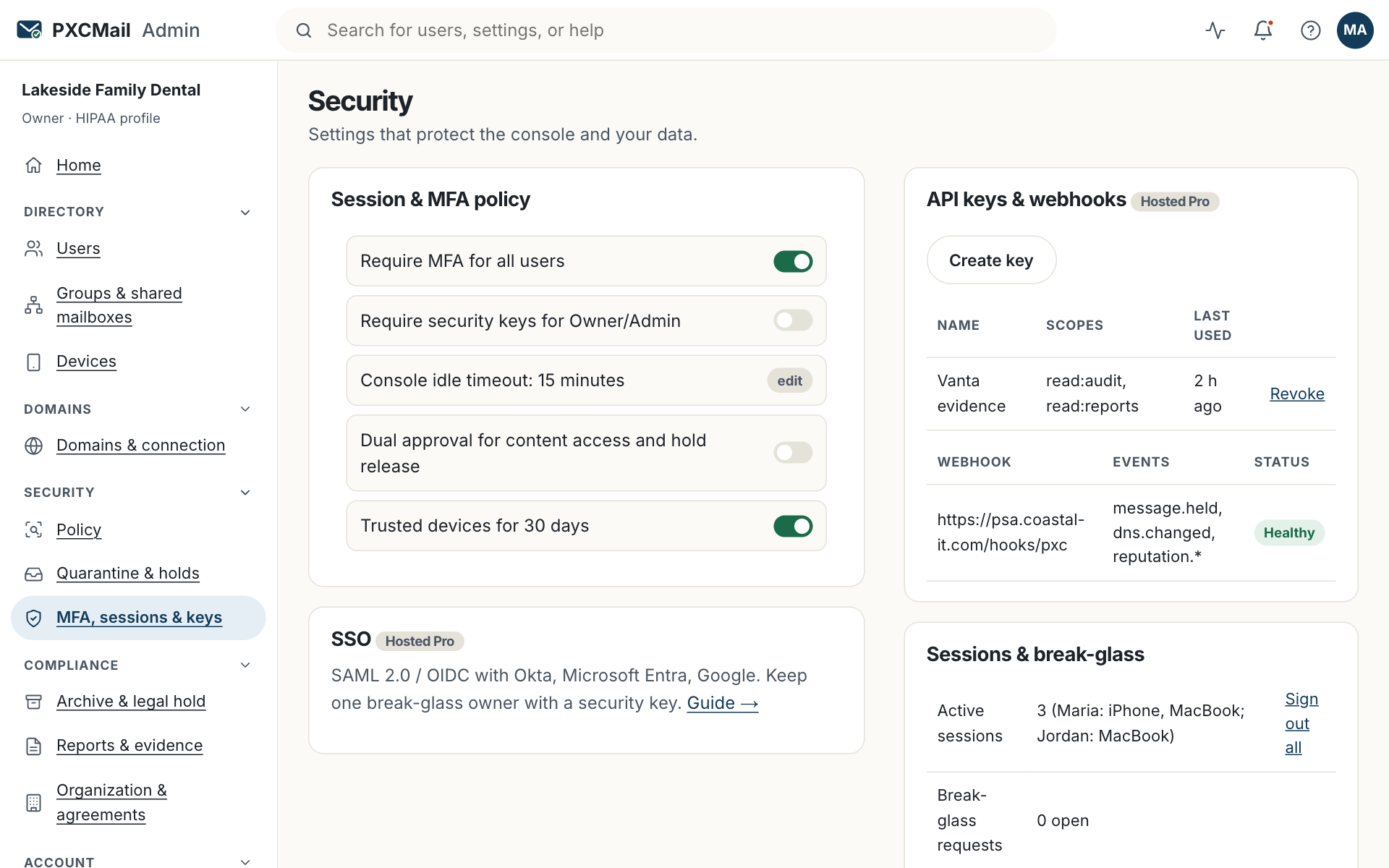
On Hosted Pro you connect Okta, Microsoft Entra, Google or any SAML or OIDC identity provider under Console → Security → SSO, test with one user, then require SSO for the console and webmail for everyone except one break-glass Owner who signs in with a hardware security key.
Before you start
- Hosted Pro. On Gateway and Hosted the console uses password plus MFA.
- Owner role in PXCMail and admin rights in your identity provider.
- A second Owner account reserved for break-glass, with a hardware security key enrolled under MFA. Keep the key somewhere two people can reach.
- Email addresses in the IdP must match the addresses in PXCMail exactly.
- Decide which IdP groups map to Owner, Admin, Compliance and User.
Steps
- Console → Security → SSO → Add identity provider → SAML or OIDC.
- Copy our service-provider details (ACS URL, entity ID, metadata URL) into a new application in your IdP. Entra: Enterprise applications → New application → create your own. Okta: Applications → Create app integration. Google: Web and mobile apps → Add custom SAML app.
- Paste the IdP metadata URL or XML, or the OIDC client ID, secret and issuer, back into the console.
- Set the email address as the name identifier. Optionally send a groups claim and map each group to a role.
- Test with one user in a private browser window.
- Turn on Require SSO for console and webmail. The break-glass Owner is excluded automatically; confirm which account that is.
Verify
The sign-in page redirects to your IdP. Console → Archive & audit → Audit log shows “SSO sign-in” entries with the IdP name. The break-glass Owner can still sign in with password and security key.
Troubleshooting
- “Invalid signature” or “audience mismatch”. Cause: entity ID typo, or the IdP rotated its signing certificate. Fix: re-paste the metadata URL so the certificate refreshes.
- A user lands on “no account found”. Cause: the IdP sends an alias or a different address. Fix: correct the address in the IdP or add it as an alias in PXCMail.
- A user gets the wrong role. Cause: the groups claim is missing or the group name differs. Fix: check the mapping; a mapped role replaces the manual role at each sign-in.
- Everyone is locked out during an IdP outage. Cause: enforcement is on and the IdP is down. Fix: the break-glass Owner signs in with the security key and turns off Require SSO. The action is logged and every Owner is alerted.
- You expected users to be created automatically. Cause: SCIM provisioning is ROADMAP. Fix: seats follow Google or Entra directory sync today; roles come from group mapping.
Example
Harbor Title, fourteen people on Microsoft 365 and Hosted Pro, connects Entra. The managing partner creates groups HT-Admins and HT-Compliance and maps them to Admin and Compliance; everyone else becomes User. Maria, the escrow officer, signs in to webmail with her Microsoft credentials and the firm’s existing MFA. A second Owner account exists only for emergencies, with a security key in the office safe, and never signs in otherwise.
FAQ
Does SSO replace MFA?
Your IdP now decides. Require MFA there. The break-glass Owner must use a hardware key regardless.
Does SSO apply to Outlook, iPhone and Android?
No. SSO covers the console and webmail. Native mail clients keep their existing sign-in and follow your device policy.
Do recipients of locked messages need SSO?
No. Recipients open messages with a one-time code and never need an account. Recipient sign-in with Google, Apple or Microsoft is ROADMAP.
What about API keys?
Unchanged. Keys are issued under Security → API keys and are not tied to SSO.
Related
Still stuck? A human answers within 15 minutes on chat, 1 hour by email during business hours (24/7 for outages).