Offboard a user
Fifteen minutes, and nothing is lost.
Applies to: Gateway, Hosted
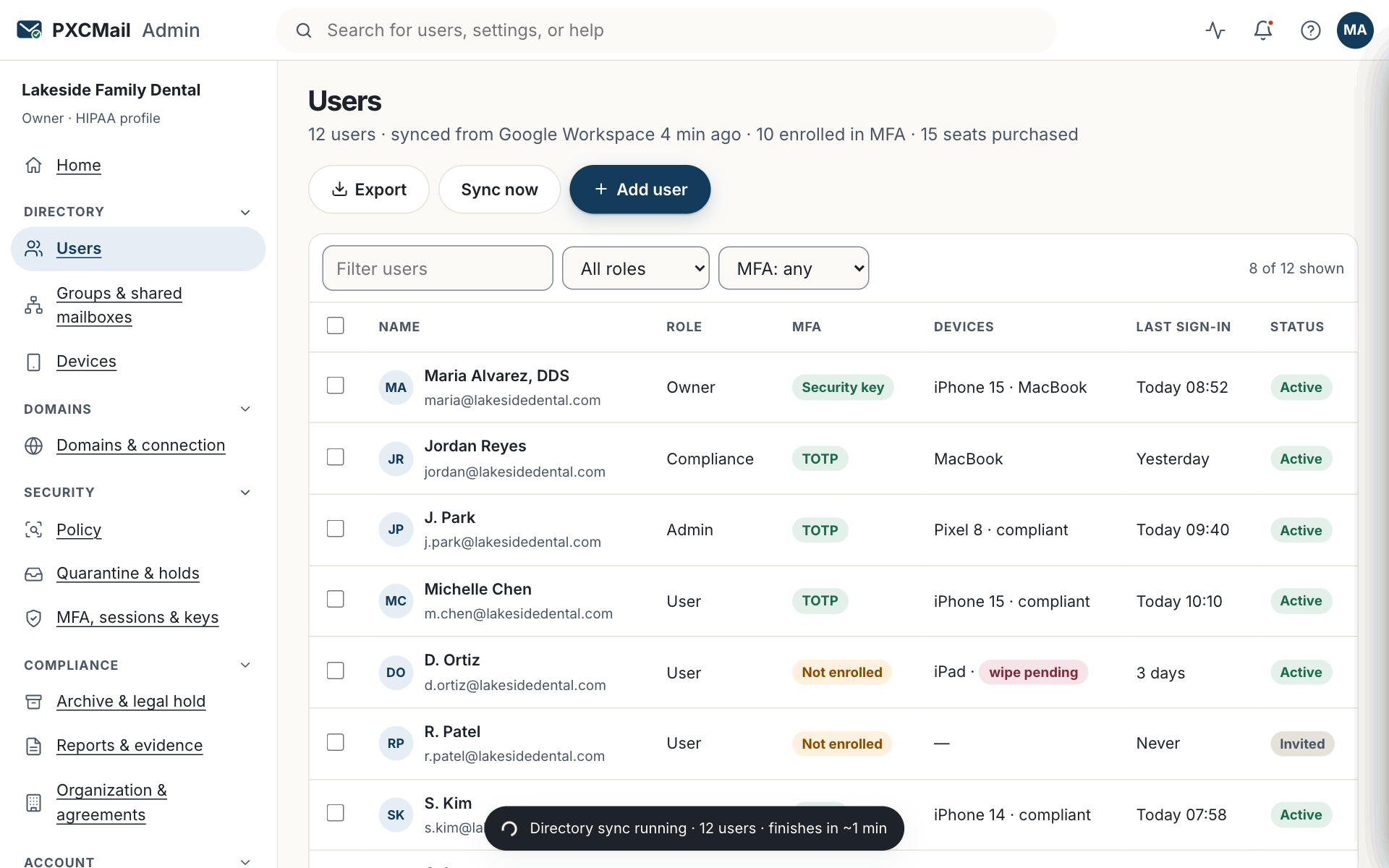
Offboarding disables the person’s access, wipes their enrolled devices, revokes their app passwords and keeps everything they sent and received under your retention policy; on synced tenants it runs on its own within 15 minutes of removal from Google Workspace or Microsoft Entra.
Before you start
- Admin or Owner role.
- A decision on what happens to the mailbox on Hosted: convert to a shared mailbox for the manager, set an auto-reply, forward to a colleague for 30, 60 or 90 days, or a combination.
- The shared mailboxes and groups the person belonged to, so a colleague can take them over.
- For HIPAA, this is the termination procedure in 45 CFR 164.308(a)(3)(ii)(C); the audit log entries are your evidence that it ran.
Steps
- If your users are synced, remove or suspend the person in Google Workspace or Microsoft Entra first. PXCMail disables the seat within 15 minutes and you continue from step 3. For manually added users, go to Console → Users & devices → the user → Offboard.
- On Hosted, choose the mailbox outcome: convert to shared (name the manager who gets access), auto-reply text, and forwarding to a colleague with a 30, 60 or 90-day end date.
- Devices enrolled under the user are wiped of the mailbox data and app passwords are revoked. Each action appears in the audit log as
device.wipedandapppassword.revoked. - Console → Users & devices → Shared mailboxes and Groups: remove the person and add their replacement. Shared mailboxes keep working; only membership changes.
- Console roles end with the account. If the person was the only Owner, name a new Owner first.
Verify
The user shows “Offboarded” with the date. On Hosted, the manager sees the converted shared mailbox in Outlook or webmail. The seat is released at your next renewal; Billing shows the change. A search in Archive & audit for the person’s address still returns their messages: access ends, records stay.
Troubleshooting
- The person can still sign in after removal from the directory. Cause: the sync has not run yet. Fix: wait 15 minutes; if still active, offboard manually from Users & devices.
- A device still shows mail. Cause: the device was offline when the wipe was issued. Fix: the wipe runs at next connection; the device list shows “wipe pending” until then. For a lost device, see device policy and remote wipe.
- The seat is still billed. Cause: seats are released at renewal, not mid-term. Fix: nothing; the seat count on your next invoice reflects the change.
Example
Lakeside Family Dental, a 12-person office on Google Workspace, says goodbye to a hygienist on a Friday. The office manager suspends her account in the Google Admin console at 4:00 pm; by 4:15 pm the PXCMail seat shows “Offboarded” and the audit log records the change under “system”. The hygienist was a member of the frontdesk@ shared mailbox, so the manager removes her and adds the new hire. Every referral the hygienist sent stays searchable in the archive for as long as the practice’s retention keeps it.
FAQ
Can I export the mailbox before offboarding?
Yes. Archive & audit → Search → the user’s address → Export in EML, MBOX or PST, with a sha256 manifest. On Hosted you can also convert the mailbox to shared and keep it live.
What happens on Gateway, where the mailbox lives in Google or Microsoft?
PXCMail disables the seat and keeps the archived copies and audit records. The mailbox itself is handled in your provider’s admin console.
Can offboarding be undone?
Re-adding the person creates a fresh account and seat. Their history stays in the archive; devices and app passwords are set up again.
Does offboarding delete anything?
No. Retention and legal holds decide when data goes; offboarding only ends access.
Related
Still stuck? A human answers within 15 minutes on chat, 1 hour by email during business hours (24/7 for outages).