Using webmail
For when you are not at your own computer. Hosted Pro customers have it on their own subdomain.
Applies to: Hosted
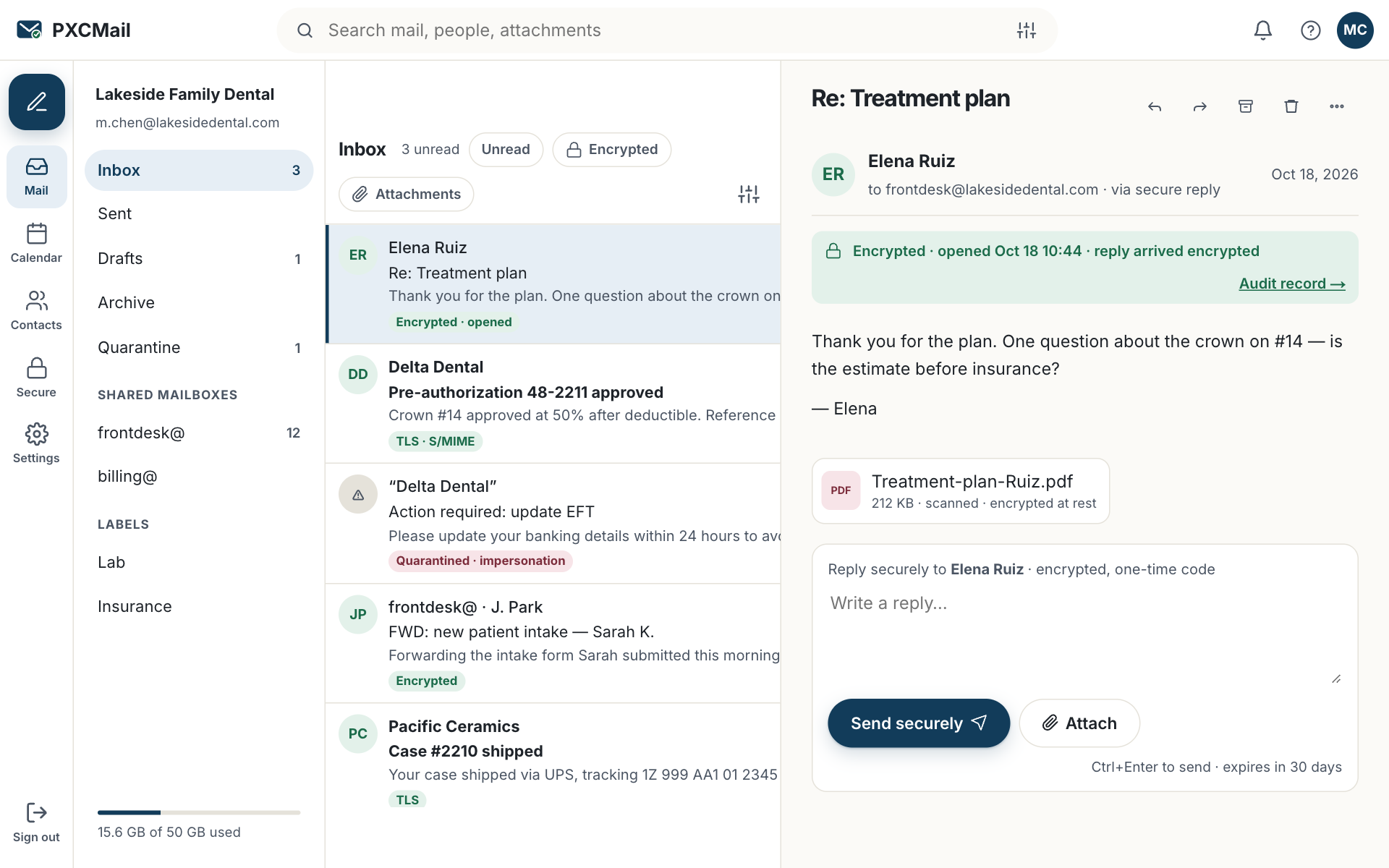
Webmail is the full Hosted mailbox in a browser: the same folders, shared mailboxes, contacts and calendar as Outlook or your phone, plus the encryption status of every message, with nothing to install and nothing left behind after sign-out.
Before you start
- A Hosted mailbox with MFA enrolled, and your authenticator app or security key with you.
- The address:
mail.pxcmail.com, or your firm’s own address on Hosted Pro, shown in your welcome email. - On a shared computer, plan to sign out when you finish; the session also ends after the idle timeout your organization sets (15 minutes by default).
Steps
- Open
mail.pxcmail.com(or your branded address), enter your full address and password, then approve MFA with a code, security key or recovery code. - The left panel lists your folders, then any shared mailboxes you are a member of. Click a shared mailbox to read it; nothing to configure.
- Compose: choose the “from” address at the top of the message, your own or a shared mailbox you can send as. The audit trail records the real user behind every shared-mailbox send.
- For locked delivery, type
[SECURE]at the start of the subject. Otherwise detection decides as you type and the compose window shows how the message will be delivered before you send. - Webmail → Settings: signature, out-of-office with start and end dates, rules (move, flag, forward within the organization), app passwords for IMAP clients, and language.
- Click your name → Sign out. On a shared computer, close the browser as well.
Verify
The audit trail records the sign-in with time and IP under your name. A test message sent as a shared mailbox shows that mailbox as the sender to the recipient and your name in the audit trail. Messages in the inbox carry an encryption status (TLS, locked, S/MIME) next to the sender.
Troubleshooting
- “Session ended” while reading. Cause: the idle timeout, 15 minutes unless your Admin changed it. Fix: sign in again; drafts are saved. Admins adjust the timeout under Security → Session policy.
- A shared mailbox is missing from the left panel. Cause: you are not a member yet. Fix: ask an Admin to add you under Users & devices → Shared mailboxes; webmail shows it immediately.
- The MFA prompt appears but you have no phone. Cause: your authenticator is on the phone you left behind. Fix: use a recovery code, or ask an Admin to reset MFA after verifying your identity; both are logged.
- An attachment will not upload. Cause: it is over 35 MB. Fix: add
[SECURE]to the subject; locked delivery carries attachments up to 2 GB.
Example
Northside Counseling, a small counseling practice on Hosted, has a therapist who sees clients two days a week at a partner clinic with its own computers. She opens mail.pxcmail.com on the clinic PC, approves MFA on her phone, and answers a client’s scheduling question from the frontdesk@ shared mailbox so the reply comes from the practice, not from her. A superbill goes out with [SECURE] in the subject and arrives as locked delivery. She signs out before her next session; the audit trail shows the sign-in and both sends.
FAQ
Is webmail safe on a public computer?
Nothing is stored in the browser after sign-out, and the idle timeout closes forgotten sessions. Still prefer your own device, and never save the password in a shared browser.
Can I use webmail instead of Outlook permanently?
Yes. It is a full client. Most people keep Outlook or the phone app for offline access and use webmail when away.
Why does the subject of a locked message stay visible?
The subject travels in the notification and in your sent copy, which are not encrypted. Keep client details out of subjects.
Related
Still stuck? A human answers within 15 minutes on chat, 1 hour by email during business hours (24/7 for outages).